Right next to the radio.
Pick Aureon Drive as a source in your car's media app. Your music uses the same screen, layout and controls as everything else.
Your Apple Music library, right in your car's own media player. Browse it from the touchscreen, skip from the steering wheel, or just ask Google Assistant.
Requires an Apple Music subscription (new subscribers can start with a free trial) and a car with Google built-in.
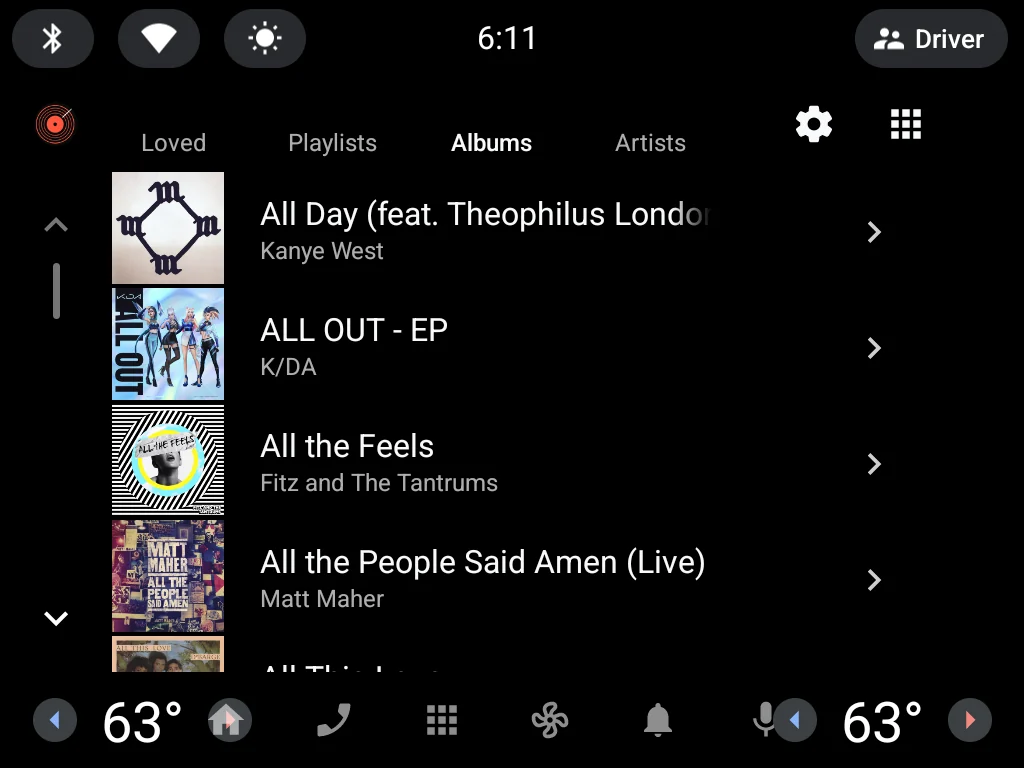
Aureon Drive plugs into the media screen your car already has. Nothing new to learn, and nothing competing with the controls you already know.
Pick Aureon Drive as a source in your car's media app. Your music uses the same screen, layout and controls as everything else.
Loved songs, playlists, albums, artists and recently played, each one tab away, with album artwork.
"Hey Google, play Fleetwood Mac on Aureon Drive." Google Assistant finds it in Apple Music and starts playing, eyes on the road.
Scan a QR code and sign in to Apple Music on your phone with Face ID or autofill. The car remembers you.
Aureon Drive follows your car's driving restrictions. Signing in and account settings only open while the car is parked.
Share the car? Open Aureon Drive's settings from the media screen to sign out or switch to another Apple Music account.
Real screenshots of Aureon Drive running on Android Automotive, the same software that powers cars with Google built-in.
Tabs for Loved, Playlists, Albums and Artists, laid out by your car.

A QR code and a short code. New to Apple Music? Start a free trial from the same page.
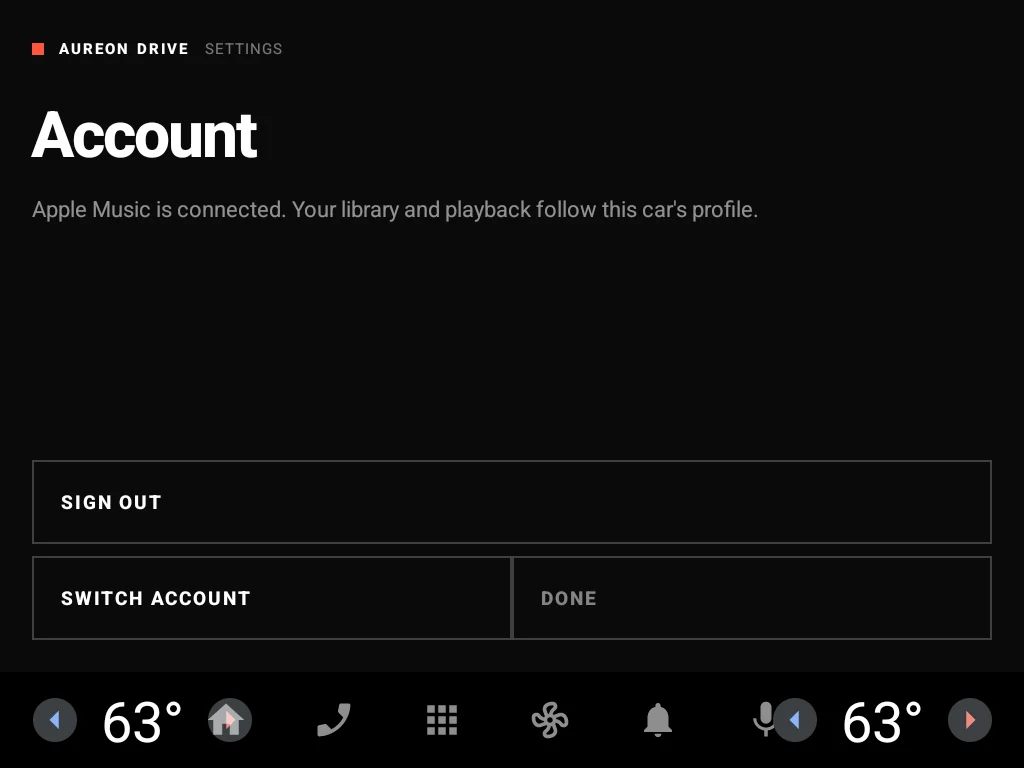
Sign out or switch accounts from the settings icon on the media screen.

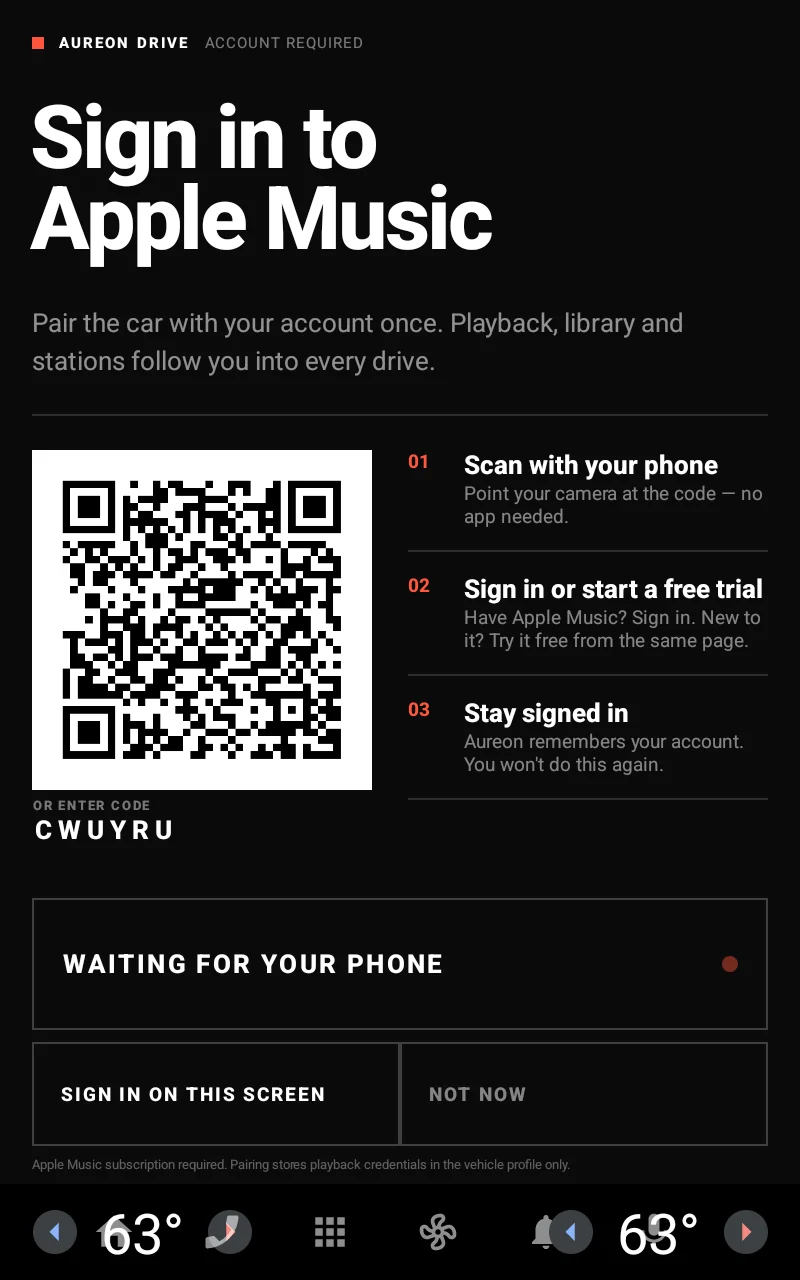
Wide or tall, your car lays out Aureon Drive to fit its screen.
Typing an Apple ID on a car's on-screen keyboard is miserable. So you don't. Your phone does the sign-in; the car just listens for it.
Choose Aureon Drive in your car's media app and tap Sign in. It shows a QR code and a short six-character code.
Sign in to Apple Music on your phone with your own keyboard, password manager or Face ID. New to Apple Music? Start a free trial right there.
The car picks up the sign-in on its own and keeps it, so you only do this once.
Already looking at a code on your car? Enter it here →
What you need to get going.
| Platform | Cars running Android Automotive OS (Google built-in), Android 10 and later |
|---|---|
| Subscription | An Apple Music subscription. New subscribers can start with a free trial. |
| Sign-in | Any phone with a camera and a browser — scan, sign in, done |
| Controls | Touchscreen, steering-wheel media buttons, and Google Assistant voice requests |
| Region | United States Apple Music storefront |
Aureon Drive is coming to Google Play for Android Automotive. Already have it installed? Pair your car below.